Secrets stay secret.
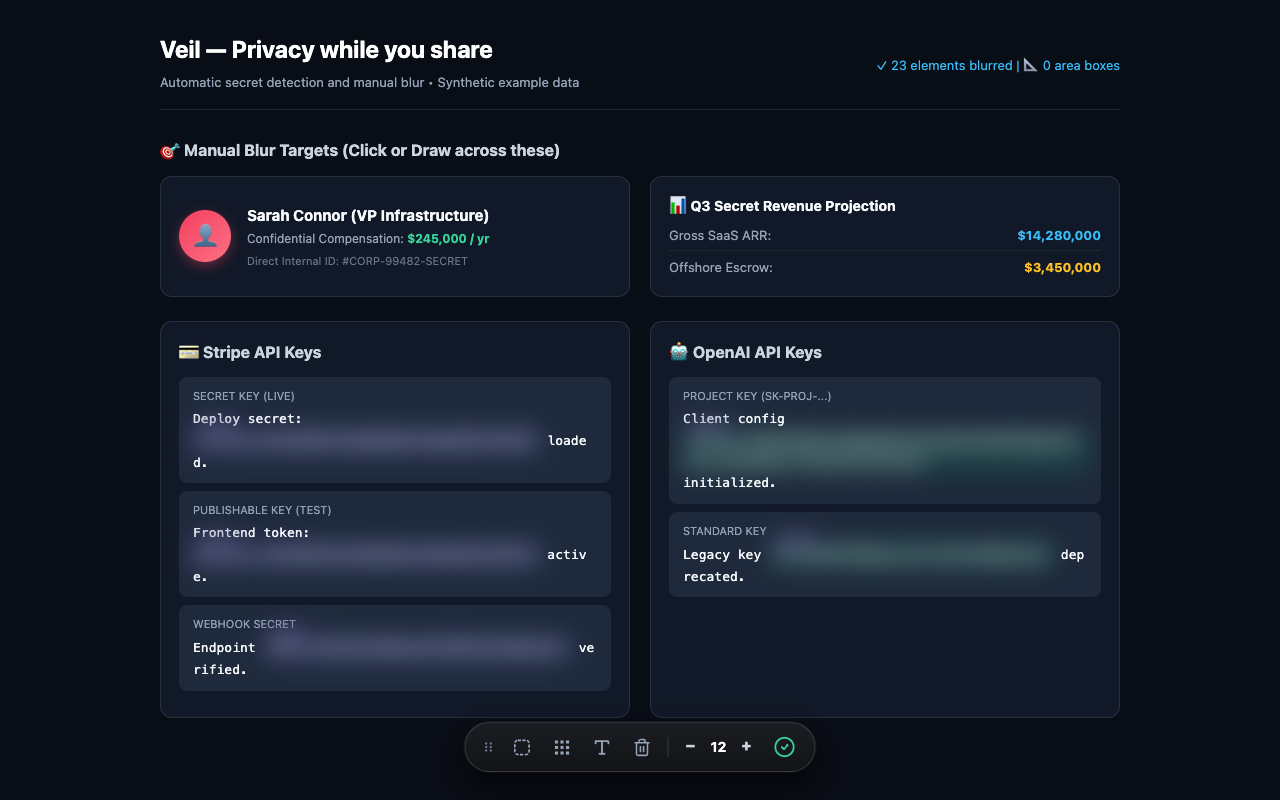
Automatically detect emails, API keys, card numbers, and other structured sensitive text as pages update.
Keep credentials, personal details, and private moments out of your next demo. Veil masks sensitive content right in Chrome.
For product demos, support calls, recordings, and everyday browsing.
Automatically detect emails, API keys, card numbers, and other structured sensitive text as pages update.
Pick an element, highlight text, or draw a blur area over anything you want to keep private.
Adjust blur and opacity, choose blackout, set custom patterns, and exclude trusted domains.
Automatic detection masks structured secrets. Shown with synthetic example data.
Veil processes webpage text locally. There are no analytics, remote scripts, or uploads of your page content.
Preferences and saved manual blur locations stay in Chrome’s local extension storage.
Read the privacy policyThe extension is available as a developer ZIP while the Chrome Web Store release is being prepared.
Download extension ZIPVersion 1.0.0 · Chrome Manifest V3 · MIT license
Extract the extension ZIP into a folder on your computer.
Open chrome://extensions, enable Developer mode, and select Load unpacked. Choose the extracted folder.
Open a regular webpage and use Veil’s toolbar or settings to adjust your protection.
Veil provides visual masking. The source page still contains the original information, and detection may miss some values. Check your screen before sharing.
Yes. Use click or hover reveal, or Peek All in the extension popup. You can also disable revealing in Settings.
It works on ordinary websites where extension access is allowed. Chrome internal pages and other browser-restricted pages cannot be redacted. Local file access requires enabling that permission in Chrome.